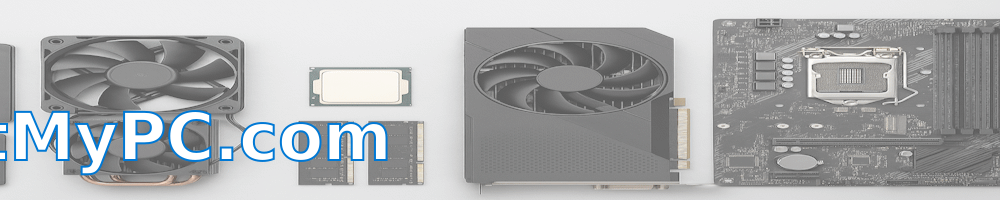
Understanding the difference between memory and storage
One of the most common confusions amongst computer users, especially those just starting to understand their devices, is the difference between memory and storage. We often hear terms like RAM, Hard Drive, SSD, etc., but what do they really mean? The distinction between memory and storage is crucial to understand, as it will make it easier for you to solve your computer problems and enhance your device's performance.
By definition, 'memory' in computer terminology refers to the Random Access Memory (RAM). This is where your computer temporarily holds data that is being used actively. Think of it as a workspace, where the more space you have, the more projects you can work on simultaneously. Hence, if your computer slows down when you have several programs open, it could mean that your RAM is not sufficient.
On the other hand, 'storage' refers to your computer's hard drive or Solid State Drive (SSD). This is where your computer permanently stores data. It's like your file cabinet, where your documents, photos, videos, and the operating system itself are stored. If your computer constantly runs out of space or takes a long time to retrieve files, it could mean that your storage is nearing full capacity or has a slow read/write speed.
Understanding the difference between memory and storage can help you diagnose and solve common computer problems. For example, if you notice that your computer is running slow when multitasking but has enough storage space, the issue may lie with your RAM. Upgrading your RAM or closing unnecessary programs can help solve this issue. Similarly, if your computer runs slow whenever you're retrieving files, your storage might be the culprit. Upgrading to an SSD or cleaning up unnecessary files can help speed up your computer.
It's also important to note that both memory and storage are not just about quantity, but quality too. For instance, an SSD is faster and more reliable than a traditional hard drive, even if they both offer the same amount of storage. Similarly, DDR4 RAM operates at a higher speed and is more efficient than its DDR3 counterpart, even if they are of the same size.
In conclusion, understanding the difference between memory and storage is beneficial to optimizing your computer's performance. Always remember that memory (RAM) is your workspace for active tasks, while storage (hard drive or SSD) is your filing cabinet for storing data. If your computer is running slow, consider checking both your memory and your storage. Don't forget that sometimes, the solution might be as simple as closing a few unused programs or deleting some redundant files!
Check out the latest articles from all our sites:
- How to Identify the Best Days for Grocery Shopping Deals [https://www.ethrift.net]
- How to decorate your home with a coastal vibe [https://www.galvestonbeachy.com]
- Creative Garden Beds That Support dill and brassicas to trap worms [https://www.gardenhomes.org]
- Understanding Microsoft Fabric Pipelines [https://www.sqlsupport.org]
- Heat: Why My Laptop Is Cooking My Lap [https://www.SupportMyPC.com]
- How to Experience the Best of Edinburgh Castle [https://www.treasureholidays.com]
Privacy Policy for SupportMyPC.com
Last updated: Jan 14, 2026
SupportMyPC.com respects your privacy and is committed to protecting any personal information you may provide while using this website.
This Privacy Policy document outlines the types of information that are collected and recorded by SupportMyPC.com and how we use it.
Information We Collect
- Internet Protocol (IP) addresses
- Browser type and version
- Pages visited
- Time and date of visits
- Referring URLs
- Device type
Cookies and Web Beacons
SupportMyPC.com uses cookies to store information about visitors preferences and to optimize the users experience.
How We Use Your Information
- Operate and maintain our website
- Improve user experience
- Analyze traffic patterns
- Prevent fraudulent activity
Contact
Email: admin@SupportMyPC.com